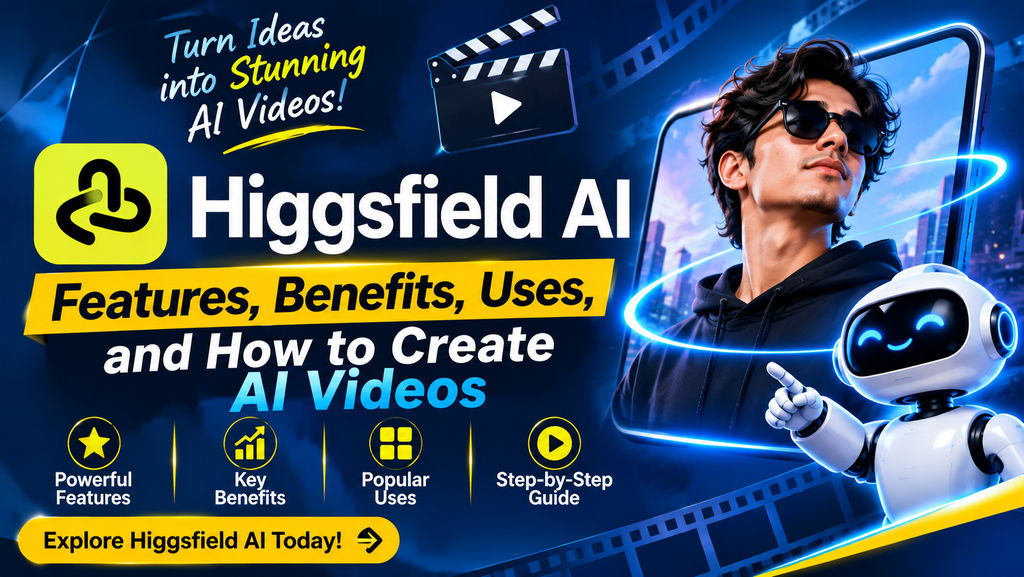
Higgsfield AI allows users to produce engaging visual content using just an idea, text prompt and image. Professional film equipment is not required.
As a content creator, marketer, filmmaker or business owner, Higgsfield AI can help you create video content easily.
What is Higgsfield AI and how can you use it? Below we have looked at what features it provides, the advantages of using it, examples of how it can be used and the limitations.
Features, Benefits, Examples, Limitations.
What is Higgsfield AI?
Use Higgsfield AI to create videos, images, advertisements and more.
You can give text prompts, or upload images, to describe what you would like in your video. The AI will then create content from your input.
Some popular features include:
Text to Video
- Image to Video
- AI Image Generation
- Movie Camera Movement
- Consistent Characters
- AI Video Editing
- Product Advertising and Social Media Content
As Higgsfield AI includes many creative tools and AI models, it can be useful for people of all levels of experience.
AI-powered content creation tools are changing how businesses develop digital content. You can also explore our guide on [AI marketing automation] to understand how businesses use AI to improve their marketing workflows.
How Does Higgsfield AI work?
Using AI models, you can create content from prompts, images and more.
For example, if you wanted to create a video of a sports car speeding down wet streets in a city at night, you could provide a text prompt for what you want, or an image. The AI will create your video from your instructions.
To create content using Higgsfield AI:
1.Provide your idea: Tell the AI what you want in your visual content.
2.Select an AI model: Select the most relevant AI model to produce a video/image.
3.Upload images: Upload images/videos for more control.
4.Customise content: Select options such as aspect ratio, length of video, camera movement and resolution.
5.Create your content.
6.Review and improve: If you are not happy with the output, make improvements to your prompt, and/or customisations and try again.
Depending on the tool and AI model being used, different customisation options will be available.
Key Features of Higgsfield AI
Higgsfield offers several features that support different types of creative projects.
1.AI Video Creation
A key reason people use Higgsfield AI is for video creation.
You can create videos from either text prompts or images. This means creative ideas can easily be turned into videos.
For example, travel content creators can create cinematic videos of a beach, without having to go on location.
2.Image to Video Creation
Interesting stories can be created in videos from just one image.
With Higgsfield AI you can create video content from images. You can upload an image and instruct the AI to create movement around the image.
This feature can be very useful for creating:
- Animated product images.
- Advertising.
- Social media content.
- Animated digital art.
3.Cinema Studio
This function allows for greater control over AI videos.
Multiple controls allow you to change camera movement, lens, lighting and style.
You can create multiple shots in one project with more consistent styling.
4.AI Image Creation
In addition to video content, you can also create images using AI.
From text prompts and images you can create images for advertisements, social media, product campaigns and more.
5.AI Consistent Characters
Creating consistent characters across multiple AI generated images and videos can be challenging. Higgsfield AI has character focused features such as ‘Soul ID’ to create consistent characters in multiple videos/imagens.
This could be useful for creating:
- AI Influencers.
- Short videos.
- Brand characters.
- Storylines.
- Social media campaigns.
6.Marketing and Advertising
Higgsfield AI also has specific marketing tools.
Within the Ads Studio and Marketing Studio functions, you can create product advertisements and marketing videos.
This could allow businesses to create different video ideas for marketing, without having to set up whole shoots for each variation.
How to create AI videos in Higgsfield AI
If you are a beginner in creating AI videos, start with something simple.
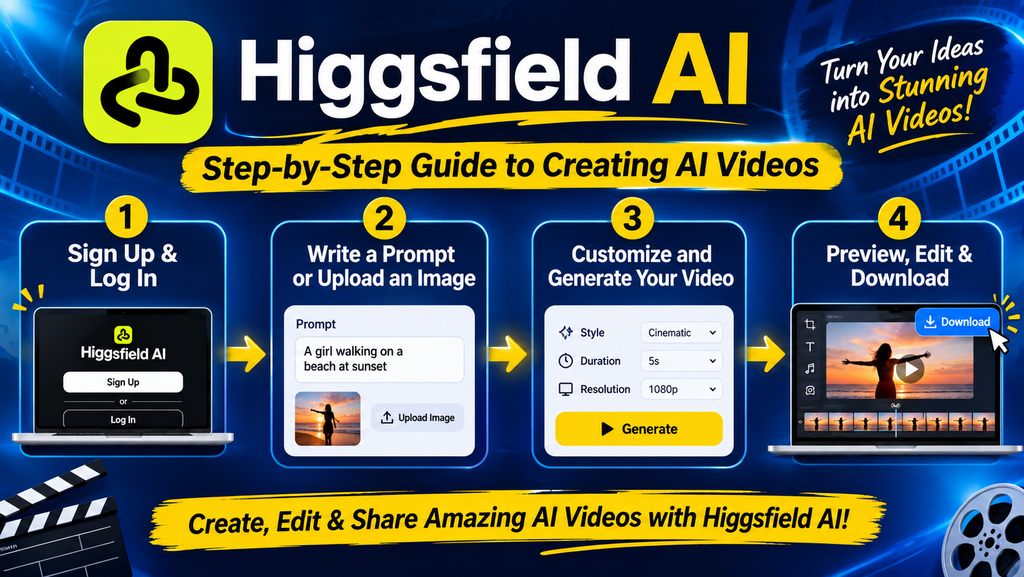
Steps to follow:
Step 1: Open website
Go to the Higgsfield AI website and either sign up or log in.
Step 2: Select Video Creation option
On the AI video page, choose the correct video creation option.
Step 3: Provide a detailed prompt
Describe what you would like in your video. Include information on what should be in the image, background, lights, camera movement, and style.
For example:
“A cinematic video of a young woman walking through a beautiful Japanese street during cherry blossom season, soft sunlight, realistic details, slow camera movement, and professional film quality.”
Step 4: Customise
Choose the ideal length, aspect ratio, resolution and any other customisation options.
Step 5: Create
Create your content.
Step 6: View and Improve
View your video. If you are not happy with the output, improve your prompt and/or customisations and try again.
AI tools are becoming useful in different areas of digital marketing and content creation. If you want to understand how AI can support SEO activities, check out our guide on Semrush vs Claude AI and learn how these two tools serve different purposes.
Practical Uses of Higgsfield AI
Higgsfield AI could be useful in a variety of industries and creative activities.
| ndustry | How Higgsfield AI Can Help |
|---|---|
| Digital Marketing | Create promotional videos and advertisements |
| Social Media | Generate reels, shorts, and engaging visual content |
| E-commerce | Turn product images into promotional videos |
| Education | Develop educational videos and visual explanations |
| Entertainment | Create cinematic scenes and storytelling videos |
| Personal Branding | Produce creative content for online profiles |
As these tools are available, it is easier for small businesses to experiment with different content ideas. However, human creativity and editing is still an important part in creating high quality content.
AI-generated videos can become a useful part of your online campaigns. However, businesses should also follow a strong digital marketing strategy to reach the right audience.
Higgsfield AI vs Traditional Video Production
Both approaches have their own advantages. The right option depends on your project, budget, and creative requirements.
| Comparison | Higgsfield AI | Traditional Video Production |
|---|---|---|
| Equipment | No professional camera required for AI generation | Usually requires cameras and other equipment |
| Production Time | Can generate clips within minutes | Often requires longer production time |
| Cost | Offers free and paid plans | Costs depend on equipment and production |
| Creative Control | Uses prompts and available AI controls | Offers direct control over filming |
| Editing | Includes AI-powered creative tools | Usually requires editing software |
| Best For | AI visuals, concepts, and digital content | Real-world filming and detailed productions |
Although Higgsfield AI can make some parts of production easier, real life filming may be important in projects that involve real people, places, events or authentic content.
Advantages of Higgsfield AI
Some advantages of using Higgsfield AI include:
- Save time: Quickly create visuals without organising all parts of a video shoot.
- Easy for beginners: Create content with simple prompts and images.
- Encourages creativity: Try different visual styles, scenes and camera movements.
- Includes many creative elements: With one tool you can create images, videos and advertisements.
- Helpful for marketing: Create varied content for marketing campaigns.
- Flexible: Create visuals for various digital platforms and audiences.
Limitations of Higgsfield AI
Despite having many useful features, there are also limitations to Higgsfield AI.
- May not create exactly as intended: Created videos may not match your instructions.
- Credit costs: Depending on the model and creation settings, different numbers of credits will be required.
- Learning curve: Advanced features may take some time to become familiar with.
- May require editing: Some output may require further editing.
- Minor errors: Minor visual issues may be present. Movements may look unnatural and details in the video may not be consistent.
Care should be taken when reviewing content created, especially in advertising/ commercial projects.
Is Higgsfield AI free?
Higgsfield AI has free tools available. However, there are limits on the amount you can create.
Paid subscriptions can be purchased to gain more credits, models and advanced features.
Depending on which subscription plan, model and video settings you choose, you will be able to create a different amount of content.
Check out the latest subscription options and features by visiting the official pricing page.
Higgsfield AI vs Other AI Video Generators
Many AI video creation tools exist. Below is a comparison of the most popular ones.
| Tool | Main Purpose | Best For |
|---|---|---|
| Higgsfield AI | AI images, videos, and creative production | Creators and marketing teams |
| Runway | AI video generation and editing | Video creators and professionals |
| Kling AI | AI-generated video and realistic motion | Cinematic video creation |
| Google Veo | AI video generation | High-quality video projects |
Compared to the other tools, a benefit of Higgsfield AI is that it combines many creative tools and AI models into one. However, depending on what type of content you would like to create, another tool may be more appropriate.
Final Thoughts
Higgsfield AI is an interesting creative tool. It means creators and businesses can create videos, animate images, create advertisements and experiment with cinematic content.
As this tool has video creation, image creation, consistent characters and creative controls, it could be worth trying.
However, while AI creation tools can be very useful, they should be used to support human creativity, not replace it. It is very important to have a clear idea, detailed prompts and editing in order to create meaningful content.
If you would like to try new methods of creating digital content, Higgsfield AI may be a great addition to your creative tool kit!
Frequently Asked Questions
1.What can Higgsfield AI do?
Higgsfield AI can generate AI images, videos, advertisements, cinematic content and social media content.
2.Can beginners use Higgsfield AI?
Yes. As you can simply enter text prompts and reference images to get started, beginners can use this tool. However, advanced features may take some practice to understand.
3.Can images be turned into videos in Higgsfield AI?
Yes. You can create short videos from images with the image to video features.
4.Is Higgsfield AI free or paid?
Higgsfield AI has free features. Alternatively, paid subscriptions are available so that users can get more credits and features.
5.Can businesses use Higgsfield AI for marketing?
Yes. Businesses can create marketing videos, product advertisements and social media content.
6.Is Higgsfield AI a better option than traditional video editing?
It depends. Higgsfield AI is great for creating AI content, however traditional video creation and editing will allow you to have more direct control over the real life content.